Managing Your Liquidity on Bitcoin.me DEX
How to Open and Close Pool Positions
Decentralized finance (DeFi) gives you full control over your assets — and liquidity pools are one of the most important tools in that ecosystem.
If you’re using Bitcoin.me DEX, understanding how to open and close liquidity positions is essential to make the most of your funds.
In this guide, you’ll learn how it works simply and practically.
What is a Liquidity Pool?
A liquidity pool is a collection of tokens locked in a smart contract that allows users to swap assets instantly without needing a buyer or seller.
Instead of matching orders, trades happen directly against the pool.
👉 In simple terms:
You provide tokens → the pool uses them for swaps → you earn rewards.
Why Provide Liquidity?
When you add liquidity, you:
Help enable swaps on the DEX
Earn a share of trading fees
May receive additional rewards depending on the pool
The more liquidity you provide, the bigger your share of the rewards.
How to Open a Liquidity Position
Opening a position means adding your tokens to a pool.
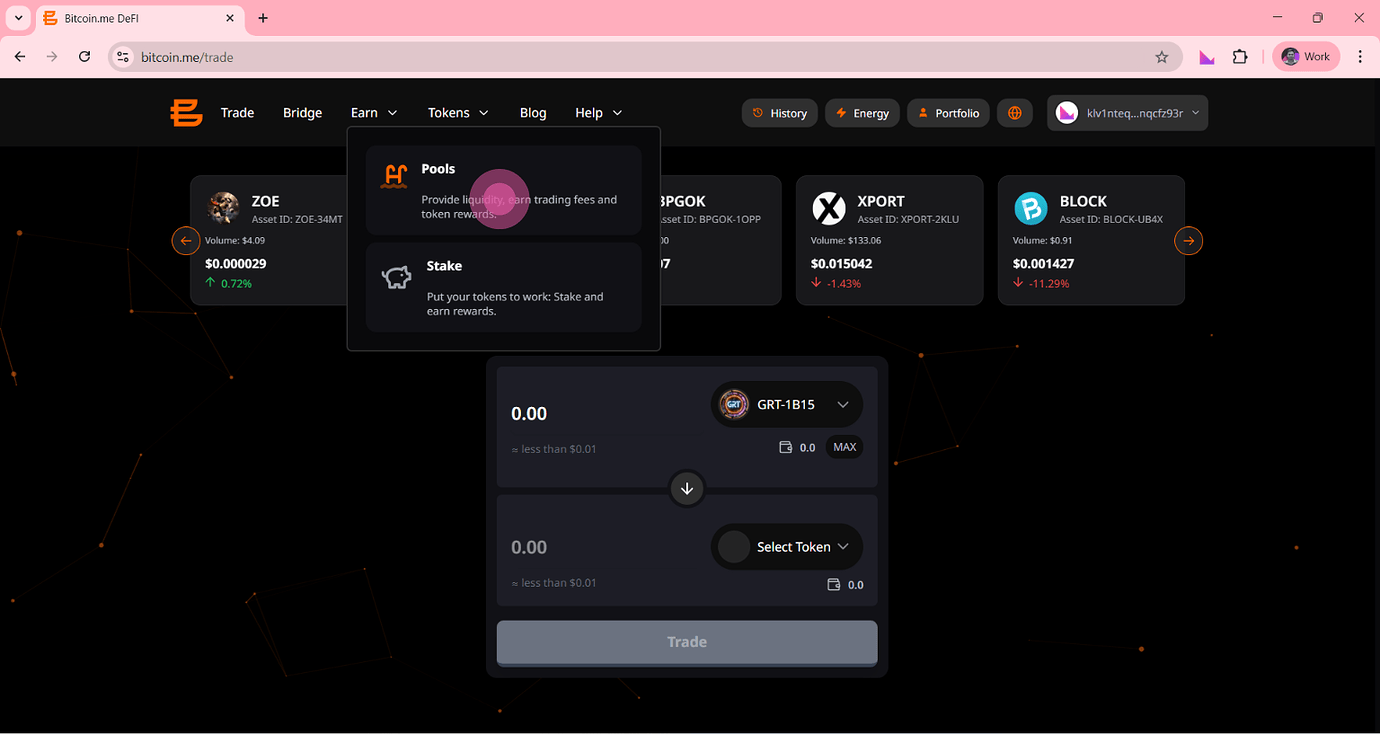
Step 1 — Access the Pools Section
Go to Bitcoin.me DEX and open the Pools area.
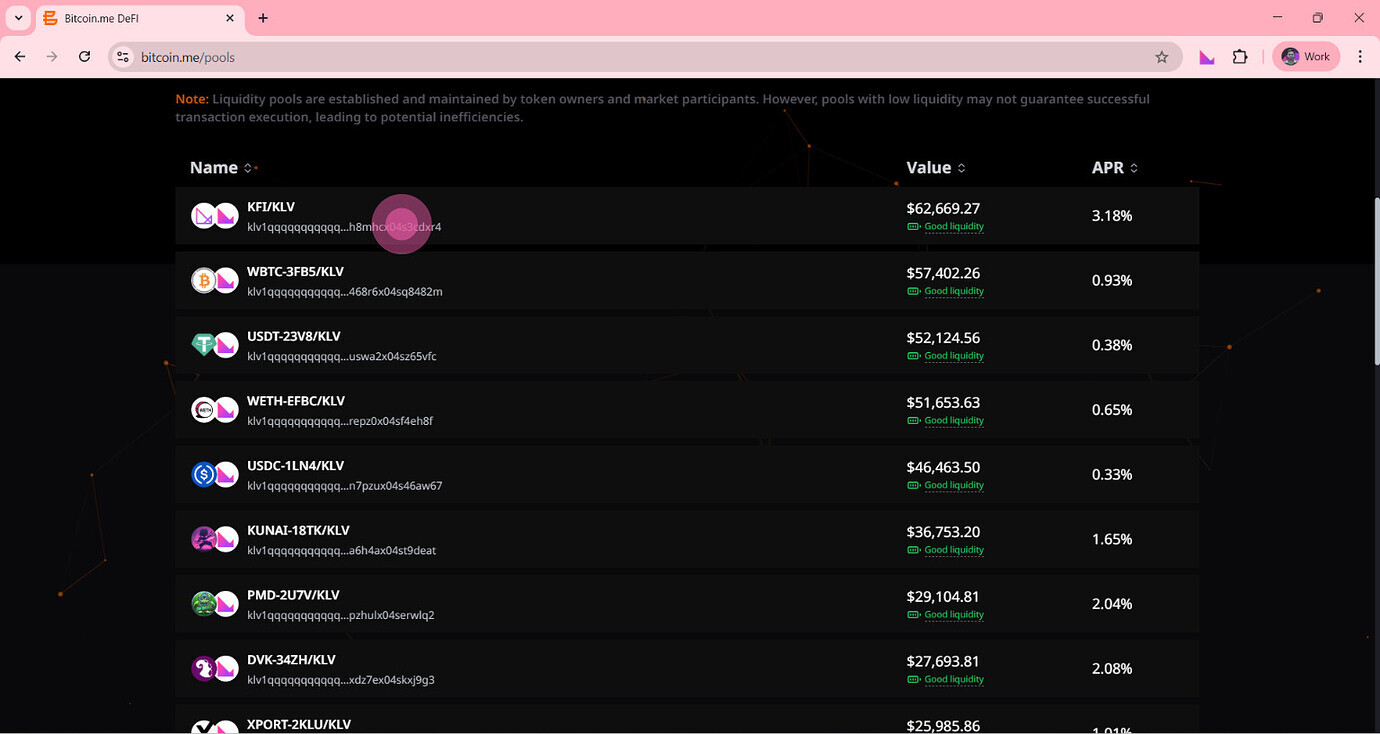
Step 2 — Choose a Pool
Select the pair you want to provide liquidity to (for example: KLV/USDT).
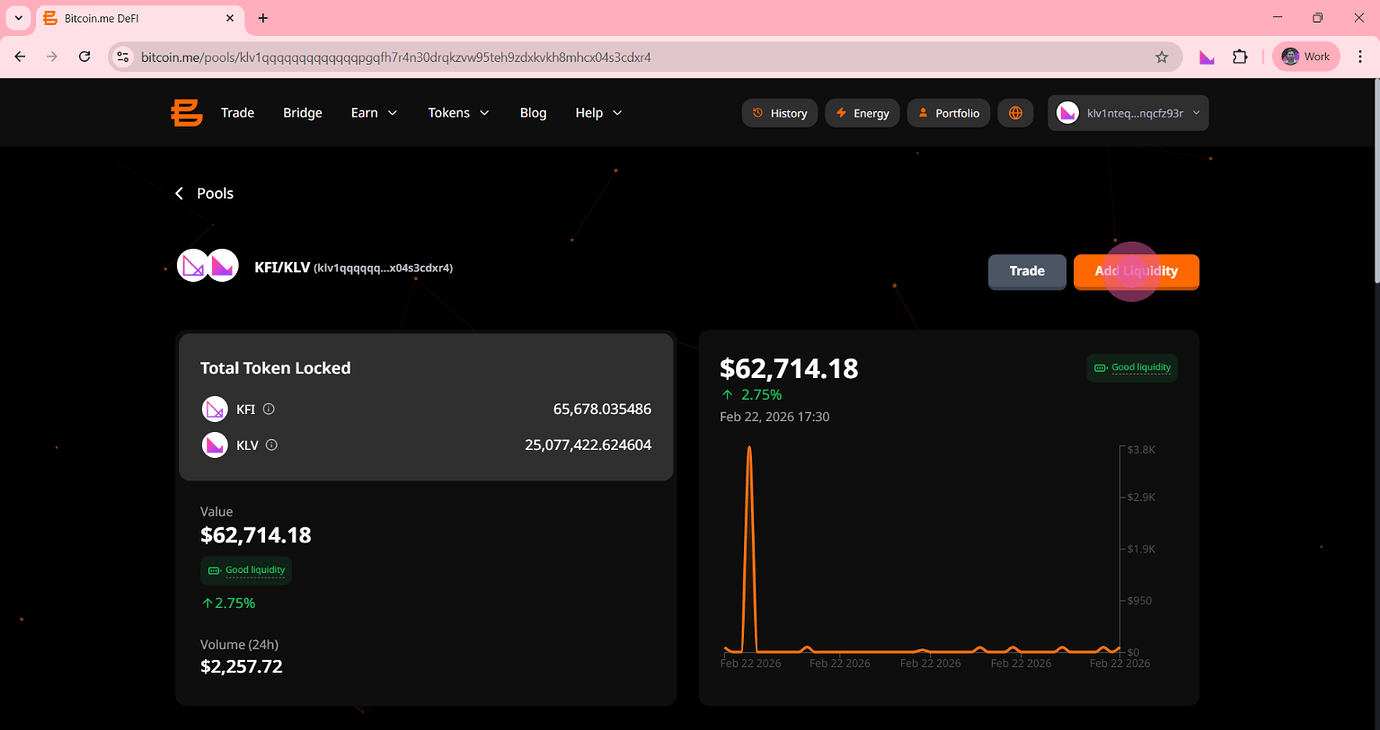
Step 3 — Enter the Amount
You need to deposit two tokens of equal value.
👉 Example:
$100 in Token A + $100 in Token B
This is required because liquidity pools operate in pairs.
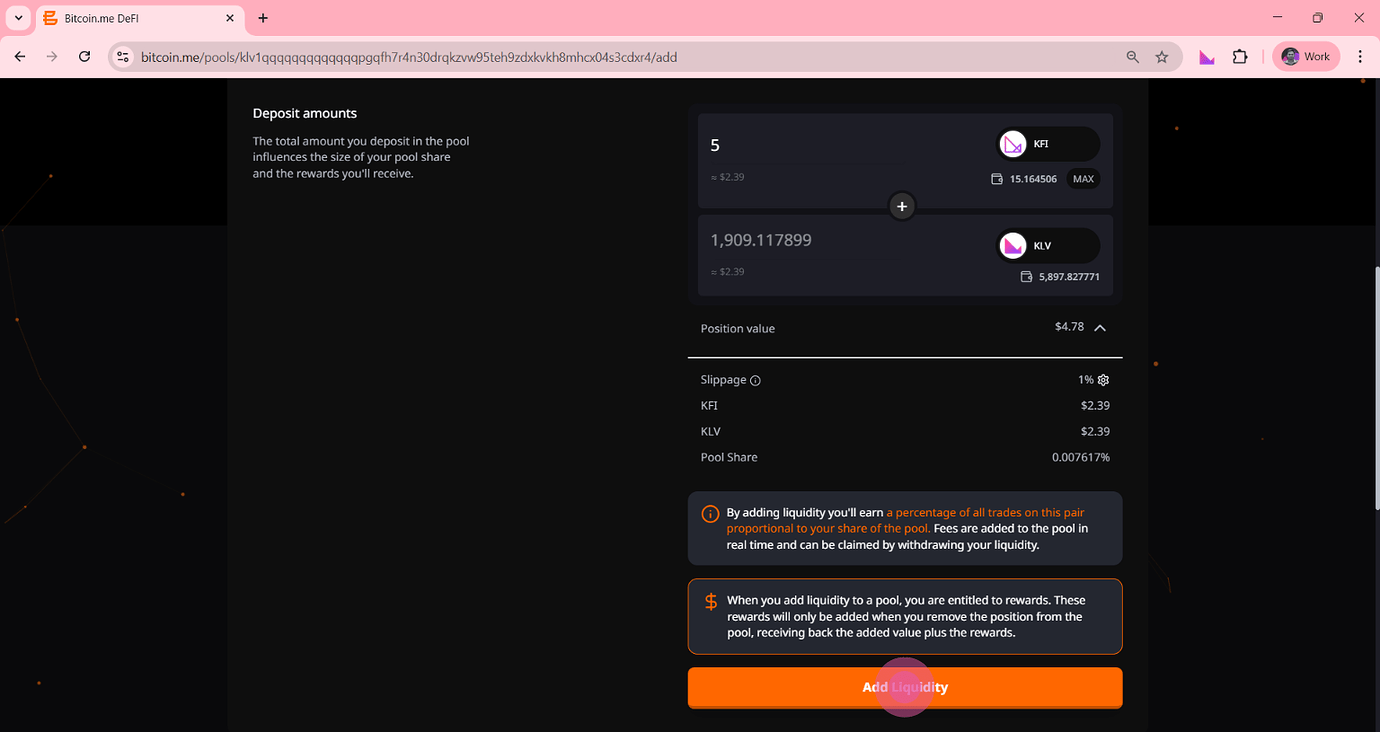
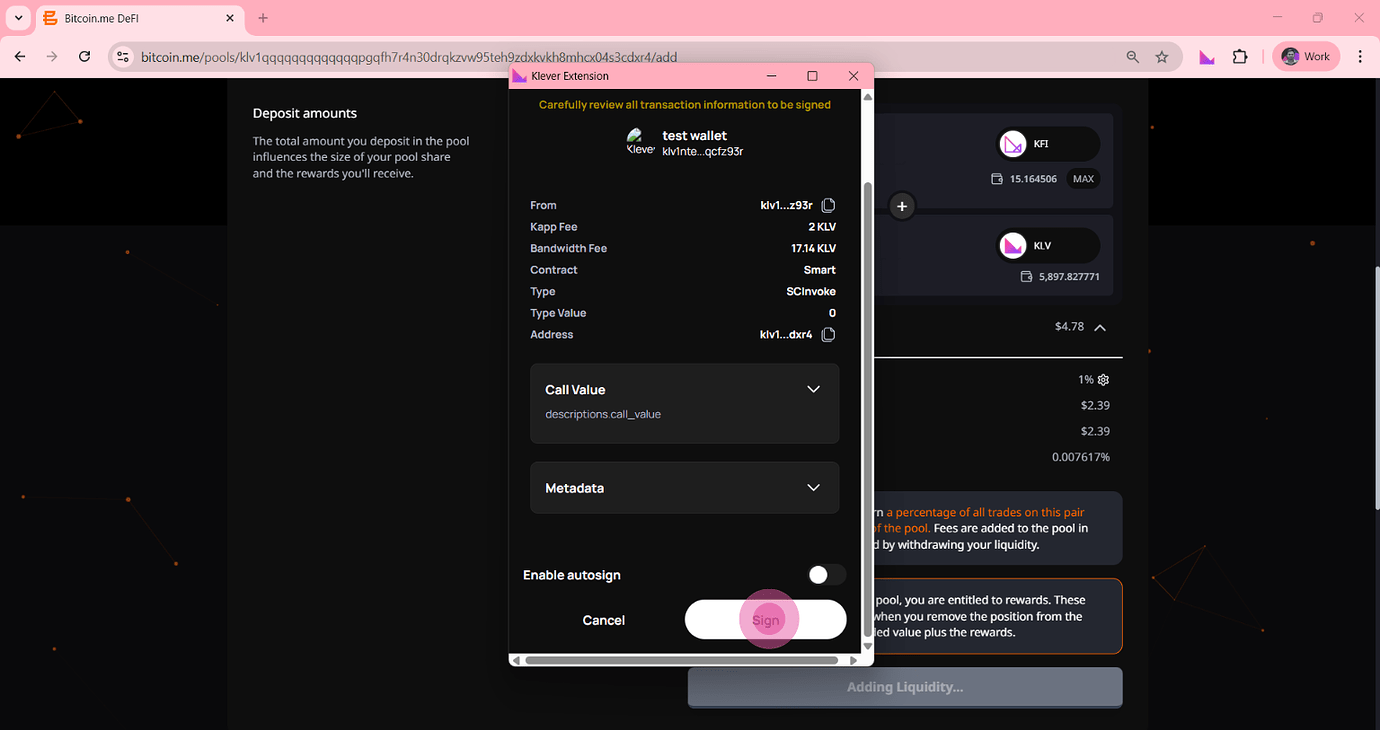
Step 4 — Confirm the Transaction
Review the details and confirm.
Once completed:
Your tokens are added to the pool
You receive LP tokens (your “share” of the pool)
What Happens After You Add Liquidity?
After opening a position:
Your assets are actively used for swaps
You earn a portion of trading fees
Your position value may change over time
LP tokens represent your ownership in the pool and allow you to withdraw later.
How to Close a Liquidity Position
Closing a position means removing your funds from the pool.
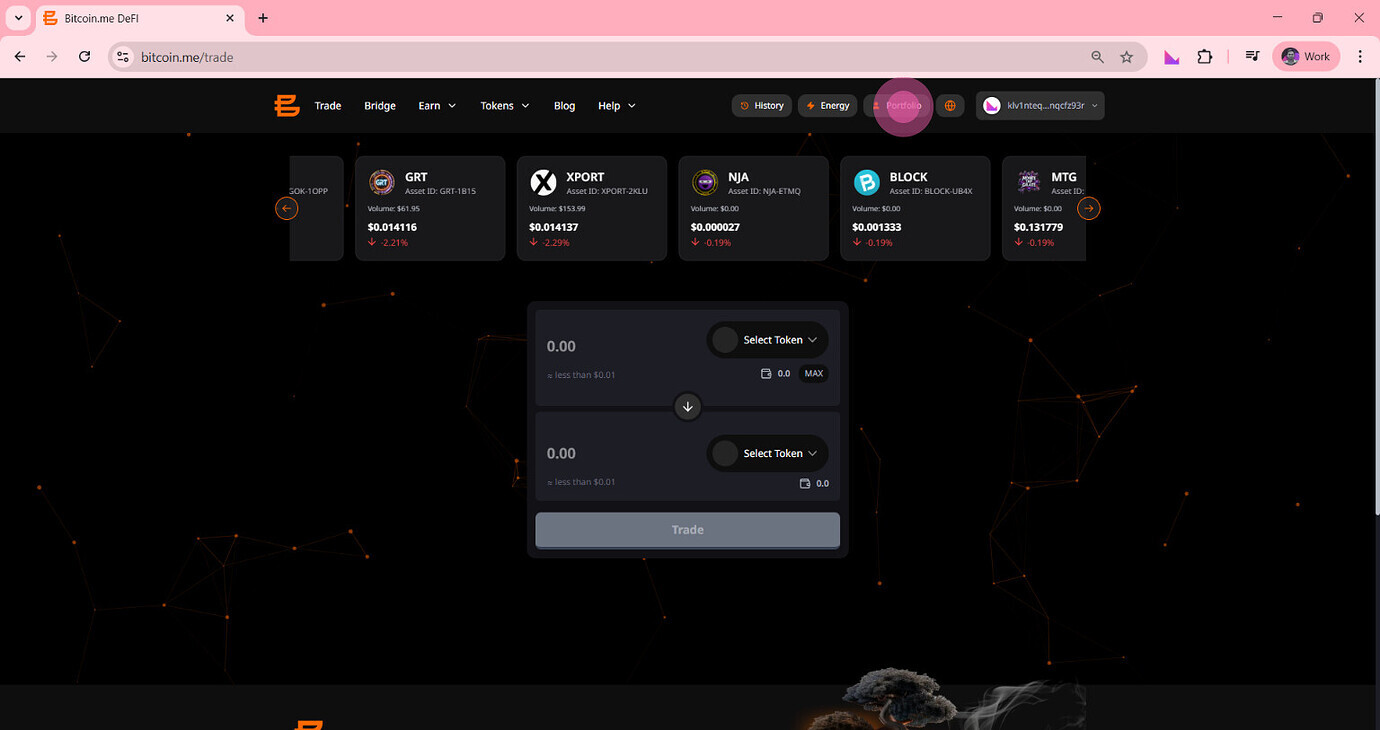
Step 1 — Open Your Active Positions
Go to your liquidity positions.
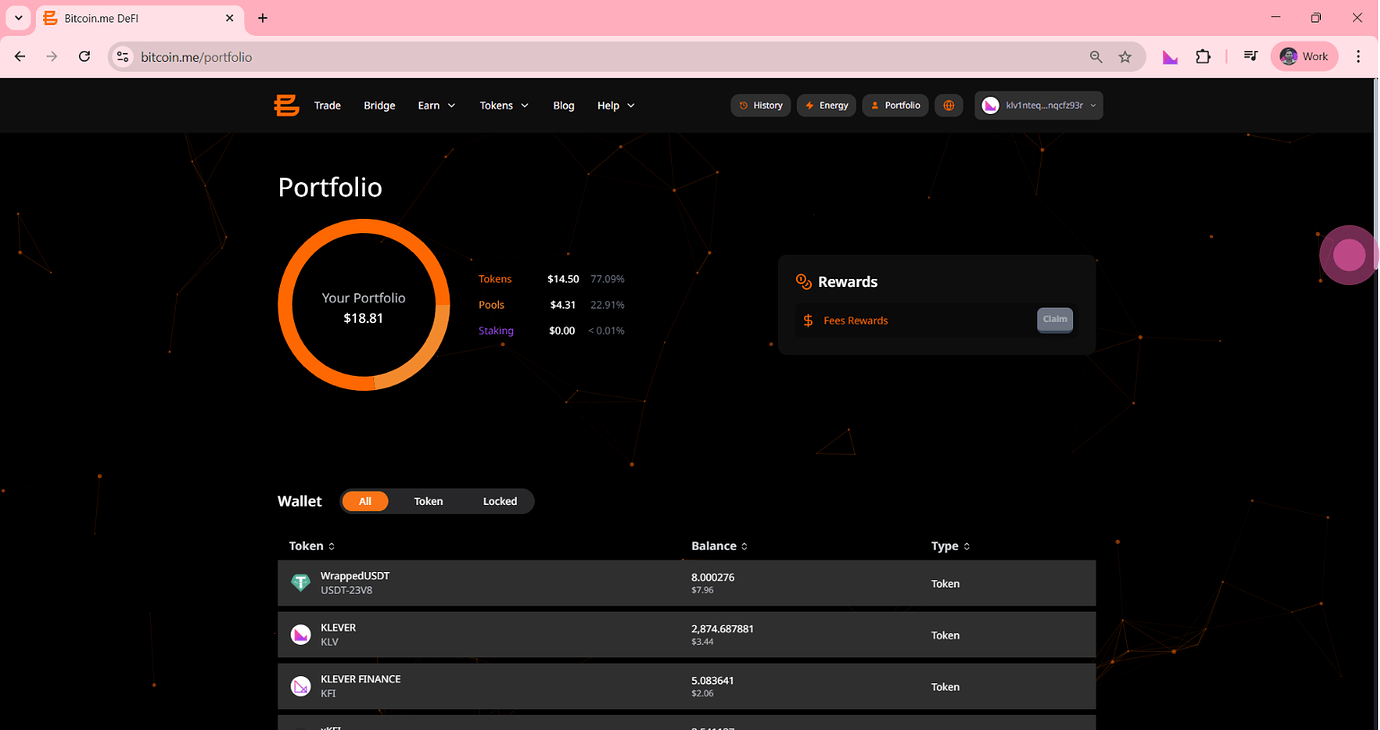
Step 2 — Select the Position
Choose the pool you want to exit.
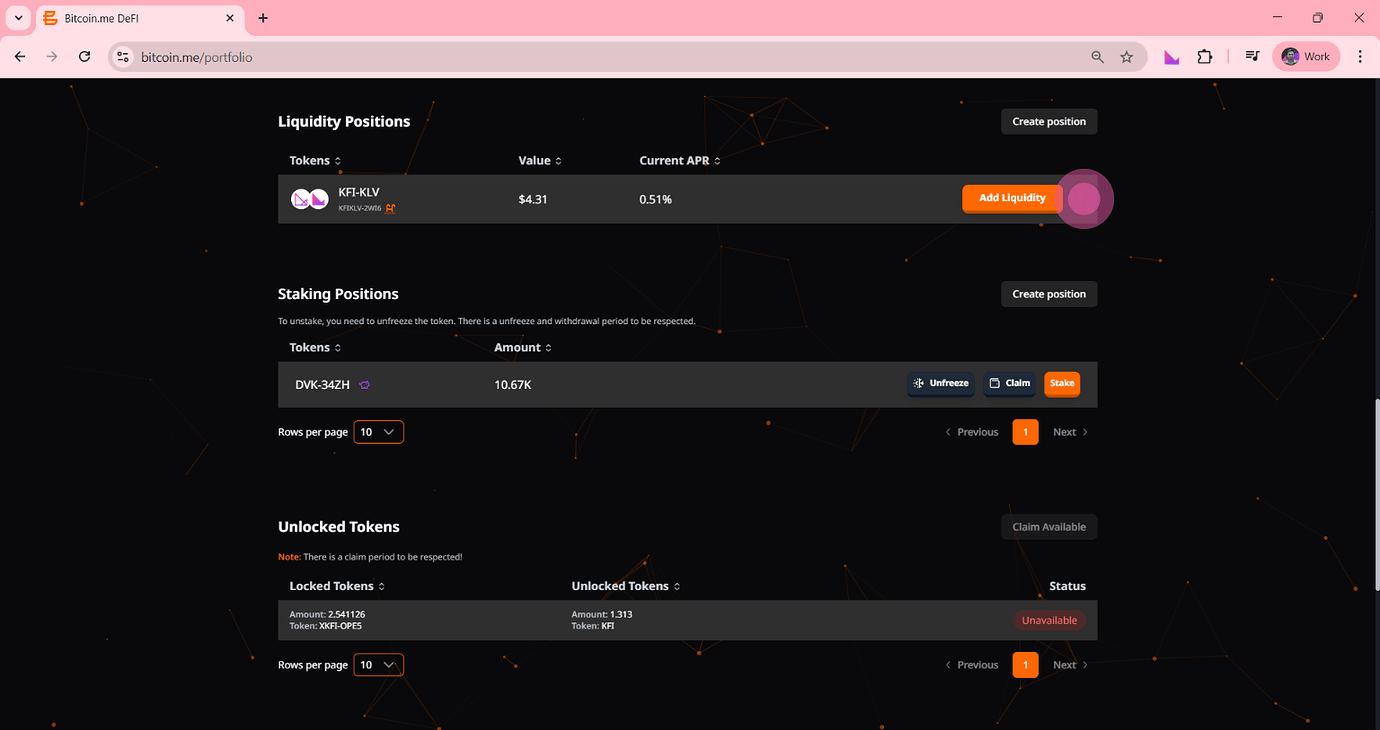
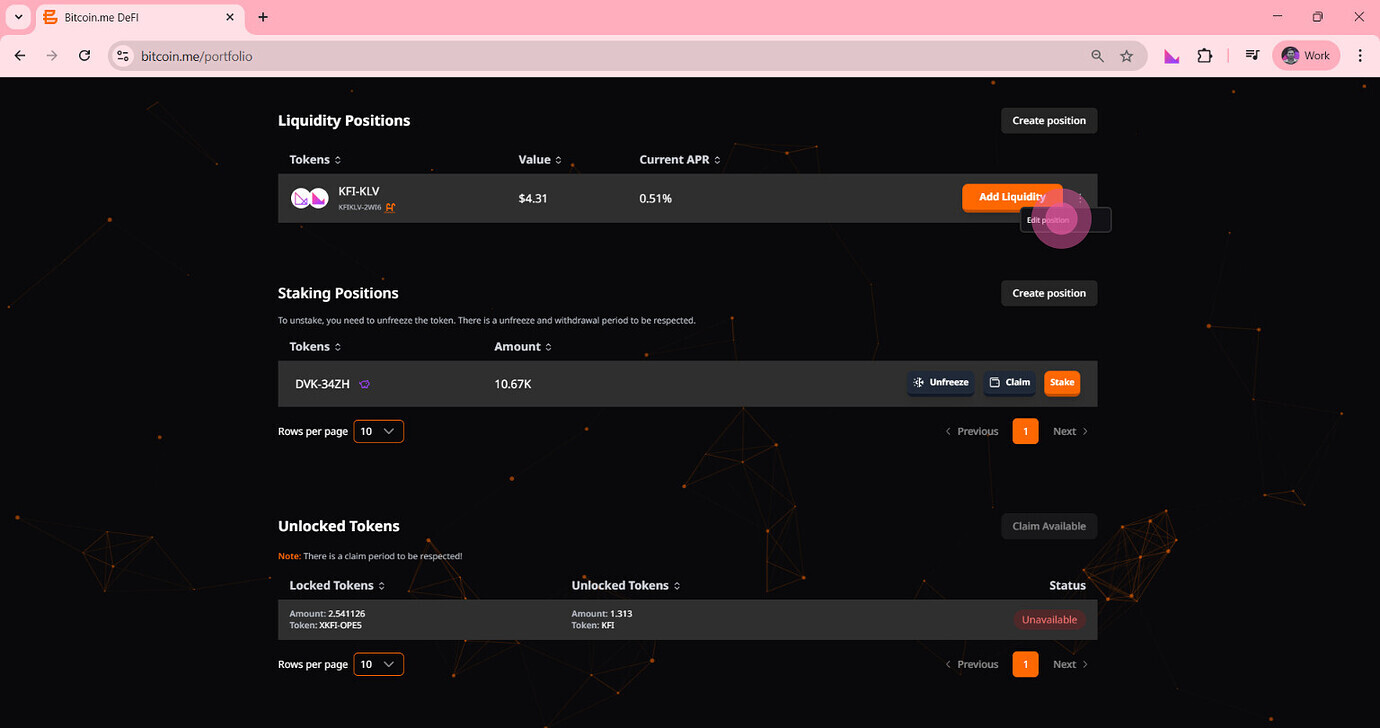
Step 3 — Choose Amount to Withdraw
You can remove:
100% (full exit)
Partial amount
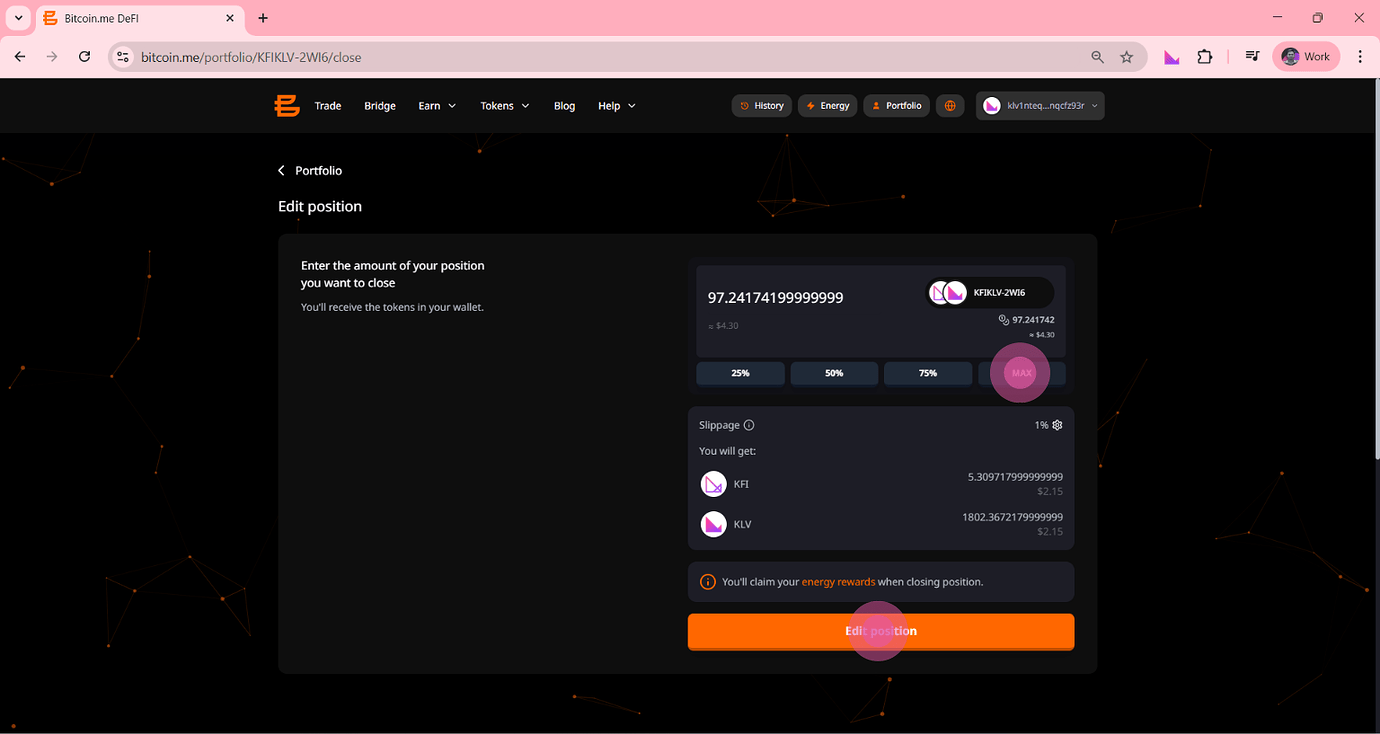
Step 4 — Confirm Withdrawal
Approve the transaction.
Once done:
Your LP tokens are burned
You receive your tokens back
Rewards are added to your balance
Rewards are typically realized when liquidity is removed.
Important Things to Keep in Mind
⚠️ Impermanent Loss
If token prices change, your final value may differ from simply holding them.
⚠️ Market Volatility
Returns depend on trading activity and price movement.
⚠️ Smart Contract Risk
Always use audited and trusted platforms.
Final Thoughts
Managing liquidity on Bitcoin.me DEX is straightforward:
Add tokens → start earning
Hold position → accumulate rewards
Remove liquidity → claim funds + rewards
The key advantage? You stay in control of your assets at all times.
Ready to Get Started?
Explore liquidity pools and start managing your positions today: https://bitcoin.me/pools